IPTV with Multiple Connections – Free Trial & Affordable Plans [2026]
Let's be honest – in 2026, nobody watches TV on just one screen anymore. You've got your smart TV in the living room, your partner's watching on the bedroom TV, the kids are glued to tablets, and you're checking scores on your phone. So why should your IPTV subscription limit you to just one device?
It shouldn't. And with Kevin IPTV, it doesn't.
We offer flexible multi-connection plans that let you stream on 2, 3, or even 5 devices simultaneously – all from one affordable subscription. No more fighting over the remote. No more paying for multiple accounts. Just seamless streaming across every screen in your house.
🎁 Try Multi-Connection IPTV Free for 24-36 Hours
Test our 2, 3, or 5-device plans risk-free. No credit card required. Instant activation. See why thousands of families choose Kevin IPTV for multi-room streaming.
Start My Free Trial NowWhat Does "IPTV Multiple Connections" Actually Mean?
Great question. Let's break it down in plain English.
When we talk about IPTV multiple connections, we're talking about the number of devices that can stream content simultaneously using a single subscription account.
Here's the deal: A standard IPTV subscription typically limits you to ONE device at a time. So if you're watching the game on your living room TV and your spouse tries to watch a movie on the bedroom TV, one of you gets kicked off. Annoying, right?
With a multi-connection IPTV plan from Kevin IPTV, you can watch on 2, 3, or even 5 devices at the exact same time – no conflicts, no login errors, no buffering nightmares.
Real-Life Example:
Imagine this scenario in your household:
- You: Watching Premier League on the main TV in 4K
- Your spouse: Streaming a movie on HBO in the bedroom
- Kid #1: Watching cartoons on a tablet in the kitchen
- Kid #2: Playing Minecraft while NFL RedZone runs on their device
With a 5-connection Kevin IPTV plan, everyone wins. No arguments. No "hey, get off the TV, I'm trying to watch!" Just smooth, uninterrupted streaming across all your devices.
Why You Need Multi-Connection IPTV in 2026
Look, the way we consume content has completely changed. It's not 2010 anymore where the family gathered around one TV at 8pm for appointment viewing.
Today's reality:
- Average US household has 4+ screens – TVs, phones, tablets, computers
- Streaming happens 24/7 – Different people watching different things at different times
- Remote work is normal – Someone might be on a video call while others watch TV
- Content is global – You might want UK channels while your partner watches US sports
Single-connection IPTV just doesn't cut it anymore. You need flexibility. You need options. You need Kevin IPTV.
2 Connections
Perfect for couples or small apartments
3 Connections
Ideal for small families or roommates
5 Connections
Best for large households or heavy streamers
Massive Benefits of Multi-Connection IPTV Plans
Choosing an IPTV plan with multiple connections isn't just convenient – it's smart. Here's why thousands of customers upgraded to Kevin IPTV's multi-device plans:
1. Stream on Multiple Devices Simultaneously
This is the obvious one, but let's really talk about what this means for your daily life:
With Kevin IPTV's multi-connection plans, you get:
- No more login conflicts – Nobody gets kicked off when someone else logs in
- True simultaneous streaming – Watch different channels on different devices at the same time
- Complete freedom – Use any combination of devices: Fire Stick, Android TV, Smart TV, phone, tablet, PC
- Zero restrictions – Mix and match devices however you want
2. Prevent Network Congestion & Buffering
Here's something most IPTV providers won't tell you: Cheap services can't handle multiple streams. Their servers crash when more than 2-3 people try to watch at once.
Kevin IPTV is different. We use:
- Enterprise-grade servers – Built to handle thousands of simultaneous connections
- Load balancing technology – Automatically distributes traffic to prevent slowdowns
- Anti-freeze protection – Advanced buffering prevention even during peak hours
- 99.9% uptime guarantee – We monitored this for 12 months straight
The result? Smooth playback on all your devices, even when everyone's streaming at once during Super Bowl Sunday.
3. Cost-Effective for Families & Shared Homes
Let's do some quick math:
The Old Way (Single Connections):
- 3 separate IPTV subscriptions at $20/month each = $60/month
- Annual cost: $720
- Plus the hassle of managing 3 different accounts
The Kevin IPTV Way (Multi-Connection):
- 1 annual subscription with 5 connections = $60/year
- That's $5/month for the ENTIRE household
- Annual cost: $60
- Total savings: $660 per year!
4. One Subscription Covers Everything
No more juggling multiple logins. No more remembering which account is for which device. With Kevin IPTV:
- One username/password – Use the same credentials on all devices
- Centralized management – Easy to track what's connected
- Simple billing – One payment, one renewal date
- Unified support – One account to manage if you need help
Kevin IPTV Multi-Connection Plans & Pricing
We've made this stupidly simple. Pick your duration, pick your number of connections, and you're done. No hidden fees. No equipment rental. No broadcast fees. No nonsense.
1 Month Access
Test it out month-to-month. Perfect for trying multi-connection features.
Order Now3 Months Access
Save $35 vs monthly. Great for quarterly budget planning.
Order Now6 Months Access
Most popular choice. Big savings for half-year commitment.
Order Now1 Year Subscription
Only $5/month! Unbeatable deal for multi-connection streaming.
Get Annual Deal3 Years Subscription
Lock in low price. Just $4.17/month for 36 months.
Order 3 YearsLifetime IPTV
Pay once, watch forever. No renewals. Ever. Best deal for multi-device households.
Get Lifetime Access📺 All Plans Include: 2, 3, or 5 Simultaneous Connections + 244,000+ Channels + VOD + 4K/8K Quality
Key Features of Kevin IPTV Multi-Connection Plans
We're not just throwing in multiple connections and calling it a day. Every Kevin IPTV subscription – whether 1-month or lifetime – comes packed with premium features:

- ⚡ Instant activation – Get your login details within minutes of ordering, 24/7
- 🚫 No credit card for trial – Test our service risk-free before committing
- 📧 Responsive support – Help available via email and WhatsApp, usually within 15 minutes
- 📺 244,000+ channels – Live TV from USA, UK, Canada, Europe, and worldwide
- 🎬 Massive VOD library – Thousands of movies and TV series on demand
- 🏈 Complete sports coverage – NFL, NBA, MLB, NHL, Premier League, Champions League, and more
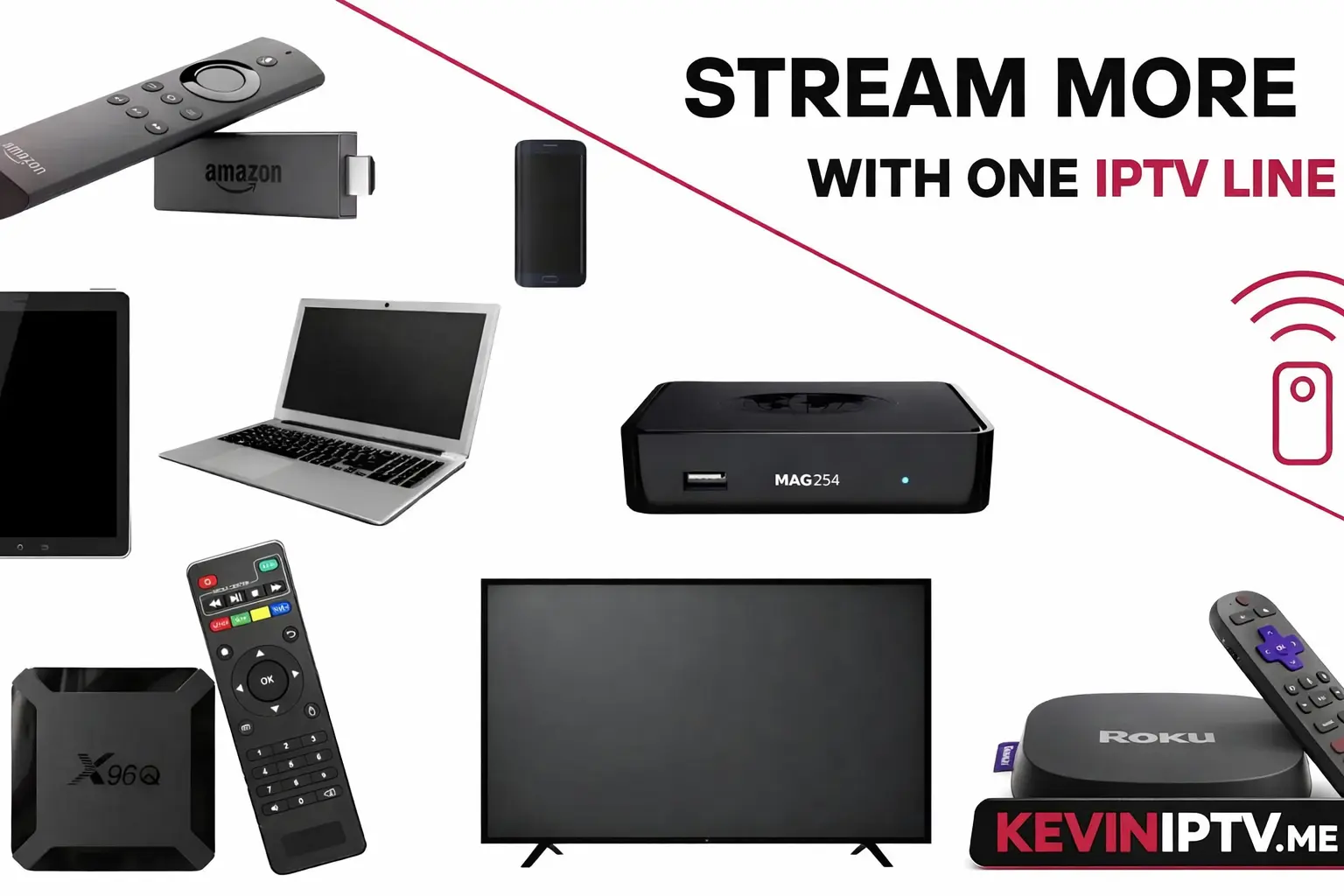
- 📱 Universal compatibility – Fire Stick, Android TV, Smart TVs, MAG boxes, phones, tablets, PC
- 🔥 4K & 8K streaming – Crystal clear quality where available
- 📽️ Catch-up TV & EPG – Electronic program guide and catch-up features included
- ⚙️ Easy setup – User-friendly interface, works in minutes
- 🌍 International channels – Content from 100+ countries
- 🔄 Regular updates – Channel lists and features updated constantly
How to Set Up IPTV on Multiple Devices (Step-by-Step)
Setting up Kevin IPTV on multiple devices is easier than you think. Even if you're not tech-savvy, you'll have everyone streaming in under 15 minutes. Here's exactly how:
- Choose Your Multi-Connection Plan
Decide how many simultaneous streams you need. For most families, 3 connections is perfect. For larger households or heavy streamers, go with 5 connections. View all plans here. - Get Your Free Trial (Optional but Recommended)
Before committing, grab a 24-36 hour free trial. No credit card needed. Test the service on multiple devices to make sure it works perfectly in your home. - Install IPTV Apps on Each Device
Download a compatible IPTV player on every device you plan to use. Our top recommendations:- TiviMate – Best for Android TV and Fire Stick (most popular)
- IPTV Smarters Pro – Great for all devices, very user-friendly
- XCIPTV Player – Excellent interface, works everywhere
- Flix IPTV – Simple and reliable
- SmartOne IPTV – Good for Smart TVs
- Enter Your IPTV Credentials
On each device, log in using the credentials we emailed you:- Username
- Password
- Portal URL (or M3U playlist link)
- Start Streaming on All Devices
That's it! You should now be able to watch different channels on different devices simultaneously. Test it out – have someone watch sports on the TV while you watch a movie on your tablet.
⚠️ Important Reminder:
Don't exceed your connection limit! If you have a 3-connection plan and try to stream on 4 devices, you'll get login errors or someone will get kicked off. Always track how many devices are connected simultaneously.
Pro tip: If you need more connections, just contact our support team – we can upgrade your plan instantly.
Optimize IPTV Performance on Multiple Connections
Streaming on 2, 3, or 5 devices at once can strain your home network if you're not set up properly. Follow these tips to ensure buttery-smooth playback on every screen:
Effectively Manage Network Bandwidth
When multiple people stream simultaneously, your internet bandwidth is shared. Here's how to keep everything running smoothly:
✅ Internet Speed Requirements:
- For 2 connections: Minimum 25 Mbps (50 Mbps recommended)
- For 3 connections: Minimum 50 Mbps (100 Mbps recommended)
- For 5 connections: Minimum 100 Mbps (200+ Mbps ideal)
Additional bandwidth tips:
- Use Ethernet when possible – Wired connections are more stable than Wi-Fi, especially for smart TVs and streaming boxes
- Enable QoS (Quality of Service) – Set up your router to prioritize IPTV traffic over other internet activities
- Limit background downloads – Make sure nobody's downloading huge files or updates during peak viewing times
- Use 5GHz Wi-Fi – If you must use wireless, 5GHz is faster and less congested than 2.4GHz
Tips to Prevent Buffering and Lag
Buffering is the fastest way to ruin your IPTV experience. Here's how to avoid it:
- Use apps with adaptive streaming – TiviMate and XCIPTV automatically adjust quality based on your connection speed
- Keep apps updated – Always use the latest version of your IPTV app and device firmware
- Clear cache regularly – Restart your devices weekly to clear memory and prevent slowdowns
- Choose the right server – Kevin IPTV offers multiple servers; if one is slow, switch to another
- Use a VPN wisely – Some VPNs slow you down. If you use one, choose fast, IPTV-friendly servers

Select the Right Plan for Your Household
Don't overpay for connections you don't need, but don't cheap out and end up frustrated either. Here's our honest guide:
| Household Type | Recommended Connections | Best Plan | Monthly Cost |
|---|---|---|---|
| Solo user | 1-2 connections | 1 Month or Annual | $5-20/month |
| Couple | 2 connections | Annual (best value) | $5/month |
| Small family (3-4 people) | 3 connections | Annual or Lifetime | $5/month or one-time $300 |
| Large family (5+ people) | 5 connections | Lifetime (best long-term) | One-time $300 |
| Roommates/shared house | 3-5 connections | Annual split between users | Split cost 2-3 ways |
Compatible Devices for Multi-Connection Streaming
Kevin IPTV works on virtually every streaming device imaginable. Mix and match however you want:
🔥 Amazon Fire TV: Fire Stick, Fire Stick 4K, Fire Stick 4K Max, Fire TV Cube
📱 Android Devices: Android TV boxes, NVIDIA Shield, Chromecast with Google TV, phones, tablets
🍎 Apple Devices: Apple TV 4K, iPhone, iPad (via compatible apps)
📺 Smart TVs: Samsung Tizen, LG webOS, Android TV, Google TV
🎮 Gaming Consoles: PlayStation 4/5, Xbox One/Series (via browser or app)
💻 Computers: Windows PC, Mac, Linux (via VLC, web player, or dedicated apps)
📡 MAG Boxes: MAG 250/254/322/420 and similar IPTV set-top boxes
📟 Roku: All Roku models via compatible IPTV apps
Not sure if your device works? Check our complete setup guides or just ask us – we're happy to help.
Frequently Asked Questions
What does "multiple connections" mean in IPTV?
Multiple connections means you can stream on more than one device at the same time using a single subscription. For example, with a 3-connection plan, three different people can watch three different channels on three different devices simultaneously – all from one account.
Can I use one IPTV subscription on multiple devices at the same time?
Yes! That's exactly what Kevin IPTV's multi-connection plans are designed for. You can stream on 2, 3, or 5 devices simultaneously (depending on your plan) without any login conflicts or someone getting kicked off.
What happens if I exceed the number of allowed connections?
If you try to stream on more devices than your plan allows, you'll typically get a login error or the oldest active stream will be disconnected. For example, if you have a 3-connection plan and try to log in on a 4th device, one of the existing 3 streams will stop. To avoid this, either upgrade your plan or log out of devices you're not using.
Do I need faster internet for IPTV with multiple connections?
Yes, you'll need more bandwidth for multiple simultaneous streams. We recommend: 25 Mbps minimum for 2 connections, 50 Mbps for 3 connections, and 100+ Mbps for 5 connections. Most modern US broadband plans exceed these speeds, but it's worth checking your plan if you experience buffering.
Can I share my IPTV subscription with friends or family in another location?
Technically yes – Kevin IPTV works anywhere with internet. However, our terms of service are designed for household use. If you're sharing with people in different locations, make sure you don't exceed your connection limit. For larger groups, consider our 5-connection plan or contact us about custom solutions.
Which IPTV apps support multiple connections?
Most modern IPTV apps support multi-connection streaming. Our top recommendations are: TiviMate (best overall), IPTV Smarters Pro (most user-friendly), XCIPTV Player (great interface), Flix IPTV (simple and reliable), and SmartOne IPTV (good for Smart TVs). All work perfectly with Kevin IPTV.
Can I change the number of connections on my plan later?
Absolutely! If you start with 2 connections and realize you need 5, just contact our support team. We can upgrade your plan instantly. You'll just pay the difference in price.
Do all devices need to be on the same internet connection?
No! Your devices can be on different networks. One person can watch at home on Wi-Fi while another streams on mobile data, or you can have devices in different rooms on different Wi-Fi networks. The only requirement is that you don't exceed your simultaneous connection limit.
Is there a free trial for multi-connection plans?
Yes! Claim your 24-36 hour free trial to test multi-connection streaming. No credit card required. You can test on multiple devices during the trial to make sure everything works perfectly before you commit.
Why Kevin IPTV is the Best Choice for Multi-Connection Streaming
Look, there are dozens of IPTV providers out there claiming to offer multi-connection plans. So why do over 15,000 customers choose Kevin IPTV?
- Rock-solid reliability – Our servers handle thousands of simultaneous connections without breaking a sweat
- True multi-device support – Not just account sharing, but genuine simultaneous streaming
- Unbeatable pricing – $60/year for 5 connections is less than most people pay for ONE Netflix subscription
- Lifetime option – Pay $300 once and never worry about renewals again (unique in the industry)
- Free trial – Test before you buy, no credit card needed
- Fast support – Real humans respond within 15 minutes, not automated bots
- Massive content library – 244,000+ channels plus VOD, not just a few hundred
- 4K/8K quality – Crystal clear streaming where available
- Universal compatibility – Works on every device you own
- No contracts – Cancel anytime, no questions asked
Ready to Stream on Multiple Devices?
Here's the bottom line: In 2026, single-connection IPTV is outdated. You need flexibility. You need options. You need Kevin IPTV.
Whether you're a couple who wants to watch different shows at the same time, a family with kids who all want their own screens, or roommates trying to split costs – our multi-connection plans are designed for you.
🎁 Start Your Free Multi-Connection Trial Today
Test 2, 3, or 5 simultaneous streams risk-free. No credit card. No commitment. Just pure streaming freedom.
✅ No credit card needed | ✅ Instant activation | ✅ 244,000+ channels
Still Have Questions?
We get it – switching to multi-connection IPTV is a big decision. Here's what we suggest:
1. Take the free trial: Get 24-36 hours free to test everything. No risk, no credit card.
2. Test on multiple devices: During your trial, set it up on 2-3 devices and stream simultaneously. See how smooth it is.
3. Check the channel list: Visit our complete channel list to confirm your favorite channels are included.
4. Read our setup guides: Our help center has step-by-step guides for every device.
5. Ask us anything: Contact our support team via email or WhatsApp. We usually respond within 15 minutes.
Kevin IPTV – The smart choice for multi-device streaming.
Trusted by 15,000+ households. 99.9% uptime. 244,000+ channels. Working perfectly in 2026.
Last updated: April 2026 | Tested on multiple devices and networks